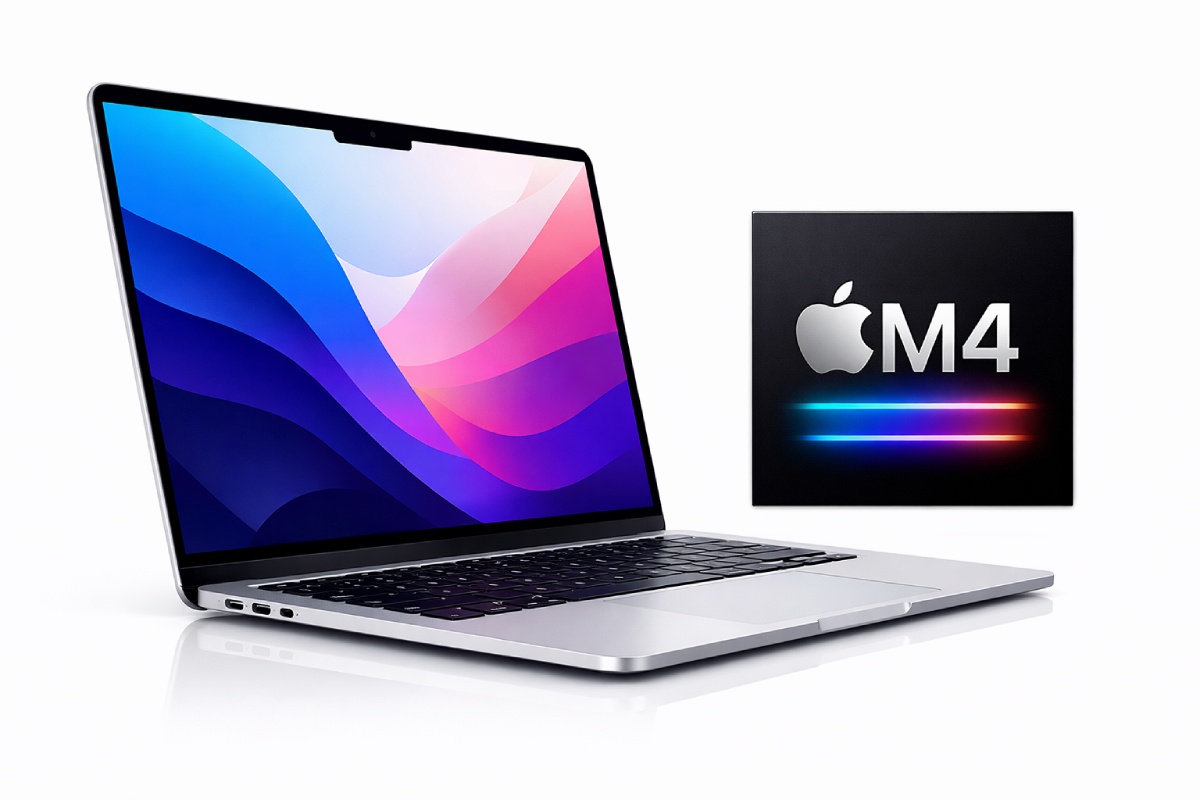
Hey Folks! Let’s talk about Macbook Air M4 specifications, new chip speed, battery and user reviews.
Specs at a Glance
| Feature | Details |
|---|---|
| Chip | Apple M4 (10-core CPU: 4 performance + 6 efficiency cores, 4.4 GHz) |
| GPU | 8-core (base) / 10-core (higher configs) |
| Neural Engine | 16-core |
| RAM | Starts at 16GB unified memory; configurable up to 32GB |
| Storage | 256GB SSD (base); configurable up to 2TB |
| Display (13″) | 13.6″ Liquid Retina, 2560×1664 (224 ppi), 500 nits, P3 wide color, True Tone |
| Display (15″) | 15.3″ Liquid Retina, 2880×1864 (224 ppi), 500 nits |
| Battery Life | Up to 18 hours (Apple claim); 10–15 hours real-world |
| Ports | 2× Thunderbolt 4 / USB-C, MagSafe 3, 3.5mm headphone jack |
| Webcam | 12MP Center Stage camera with Desk View |
| Weight | 2.7 lbs (1.24 kg) – 13″ model |
| Charging | 30W USB-C (base 13″) / 35W Dual USB-C (higher configs); 70W optional fast charger |
| Wireless | Wi-Fi 6E, Bluetooth 5.3 |
| External Displays | Up to 2 external displays (up to 6K/60Hz via Thunderbolt 4) |
| Colors | Sky Blue, Midnight, Starlight, Silver |
| Starting Price | $999 (13″) / $1,199 (15″) |
| RAM / SSD upgrades | Not user-upgradeable – must be chosen at purchase |
Performance on Paper ≠ Everyday Experience
When I moved from an older laptop to the MacBook Air M4, I expected all day battery and flawless speed, because specs seem amazing. And yeah, the M4 chip is a noticeable step up over older chips and handles everyday workflows really well. Chrome with a dozen tabs, VS Code, Word docs, videos, and even some light Photoshop feels smooth.
What This Laptop Actually Gets Right
1. It finally starts with enough memory.
For years, Apple sold “pro” laptops with 8GB and charged an arm and a leg to fix it. The base M4 starts at 16GB. That’s not marketing speak; that means you can keep 15 Chrome tabs, Slack, Spotify, and a few PDFs open without the system swapping like it’s 2019. A friend of mine bought the M1 Air with 8GB in 2020. By 2023, she was closing apps just to join Zoom calls. That won’t happen here.
2. Battery life that actually matches the workday.
I don’t care about “18 hours video playback” because nobody watches 18 hours of video on a laptop. What matters is this: I used the 15-inch for a full freelance day, writing, Canva, a dozen Safari tabs, Slack, and Spotify, and at 7 PM I was at 20%. Battery varies with brightness & apps. High brightness and poorly optimized apps (some Chrome forks) drain battery much faster than Apple’s claims.
3. Performance isn’t magic. The M4 is strong for daily work, multitasking, coding, and even video editing. But it doesn’t turn this into a Pro workstation. Heavy builds or sustained workloads get warm and can throttle over time, simply because there’s no active cooling in the Air.
4. You can now use two external monitors with the lid open.
In M3 Air with two monitors, you know the pain: you had to close the lid and turn it into a desktop tower. Now it just works. For freelancers or students with a desk setup, this is a bigger deal than CPU benchmarks.
5. The webcam is finally usable.
The new 12MP Center Stage actually looks fine in normal lighting, and Desk View showing your hands on the table is genuinely useful if you record tutorials or do video calls showing paperwork. I didn’t expect to use it, but I do.
5. Quiet. Always quiet.
There’s no fan. Not “quiet mode.” No fan at all. You can be rendering a video and downloading a file and the machine makes almost zero sound. If you’re easily distracted by fans sound or you record audio, this matters more than raw speed.
6. And as always, Bright screen with good color and Easy to carry around campus or cafes without feeling like a burden.
7. 60 Hz screen only. There’s no higher refresh rate; it’s fine for daily work, but Pro level smoothness isn’t here.
Where You Need to Be Careful (The Honest Downsides)
I’m not here to sell you this laptop. Here’s where the Air still frustrates me and where I see people waste money.
1. The base storage is still 256GB, and it’s not enough.
Let me be blunt: 256GB in 2026 is tight. After macOS and a few apps, you are left with around 180GB. If you store photos, download files, or install one modern game, you’ll be juggling space within a year.
Apple charges $200 to jump to 512GB. That’s painful. But the real waste is buying 256GB, running out of space, and being stuck with external drives dangling off your beautiful thin laptop.
2. Memory can’t be upgraded later. What you buy is what you have forever. Choosing 16GB might be fine now, but 24GB helps future-proof better. It can be configured once, just at the time of buying.
3. It throttles under sustained load. That’s physics.
When you open heavier apps or editing tools, the chassis can get warm without a fan, and that can impact battery and performance over time. No fan means no sustained performance. In short – opening apps, exporting a 3 minute video, compiling small code, it’s fast. But run Cinebench back-to-back or export a 20-minute 4K project, and performance drops significantly.
If you edit video professionally or run large datasets, you want the MacBook Pro. A friend learned this the hard way: bought an Air, loved it for three months, then started waiting 20 minutes for exports. He sold it at a loss.
4. Ports: still two, still on one side.
Two Thunderbolt ports is fine. Both on the same side is annoying.
And still no USB A port. For office use and college, it’s manageable. For desk workers with multiple peripherals? You’ll live in adapter hell.
5. The notch is still there. No Face ID.
The notch hasn’t bothered me since 2023, but what bothers me is that it contains only a camera. Windows laptops at half the price have IR cameras for facial recognition. Apple still requires you to touch the fingerprint sensor. It’s just lazy.
6. “Sky Blue” is basically silver.
This is a small thing, but people ask me about the new color. It’s barely blue. In most lighting, it looks like a slightly cooler silver. If you’re buying it because you want a blue laptop, see it in person first.
7. Battery life is good, but it’s not better than last year.
Here’s the truth: battery life is about the same as the M3 Air. You’re not gaining hours. You’re getting slightly more performance at the same efficiency. That’s fine, but don’t expect a leap.
8. The base 13″ model’s 30W charger is slow. The base config ships with a 30W adapter. For a laptop this capable, that feels a little stingy — especially if you’re trying to top up quickly between meetings. The 70W fast charger is available as an option, and it’s worth considering.
Who Actually Needs This?: MacBook Air M4
Students: If your budget stretches to 16GB/512GB. The 15-inch gives you screen space without the weight of a Pro. Battery lasts a full day of classes.
Freelancers and office workers: If your work requires multi apps switching periodically and not too much graphics load; then I feel It’s the best choice. As It has a powerful chip, produce almost no sound, light weight, and handles documents, spreadsheets, and light creative work easily. The dual-monitor support makes it more advanced.
Casual users: If your M1 Air is fine, keep it. If you’re on Intel, this is the upgrade.
Creative professionals: Only if you have to work on small files. 4GB video files? Fine. 20GB projects? You should go for Pro.
Here’s my honest take:
If you buy 16GB RAM and 512GB storage, this can absolutely last you 4–5 years. The chip is fast enough, the battery is efficient, and macOS supports devices for years.
If you buy 16GB RAM and 256GB storage, you’ll probably start feeling cramped around year 2 or 3. You’ll be offloading photos, deleting downloads, and wishing you had space for that one game or project.
If you buy 8GB RAM—oh wait, you can’t. Because that exists before m4 and that too costlier than this model.
Before You Click “Buy”
- I don’t recommend the 256GB version unless you’re certain you only use cloud storage and stream everything.
- I don’t recommend it for sustained video editing, large data work, or 3D rendering. It will throttle. It will frustrate you.
- Check if you actually need two monitors. If you don’t, the M2 Air is cheaper and still very good.
- If you’re coming from M1 or Intel, this will feel like a new world. If you’re on M3, keep your money.
You can explore more categories:
https://byimpact.xyz/category/trending/
https://byimpact.xyz/category/iphone/
https://byimpact.xyz/category/android/